
Released in February 2023
Automatic planned effort
We have made a change to the way the default assigned hours are calculated when assigning a resource to a task, and the effect that assignment has on the planned effort for that task. Click here for more detail.
Featured Templates now have Categories
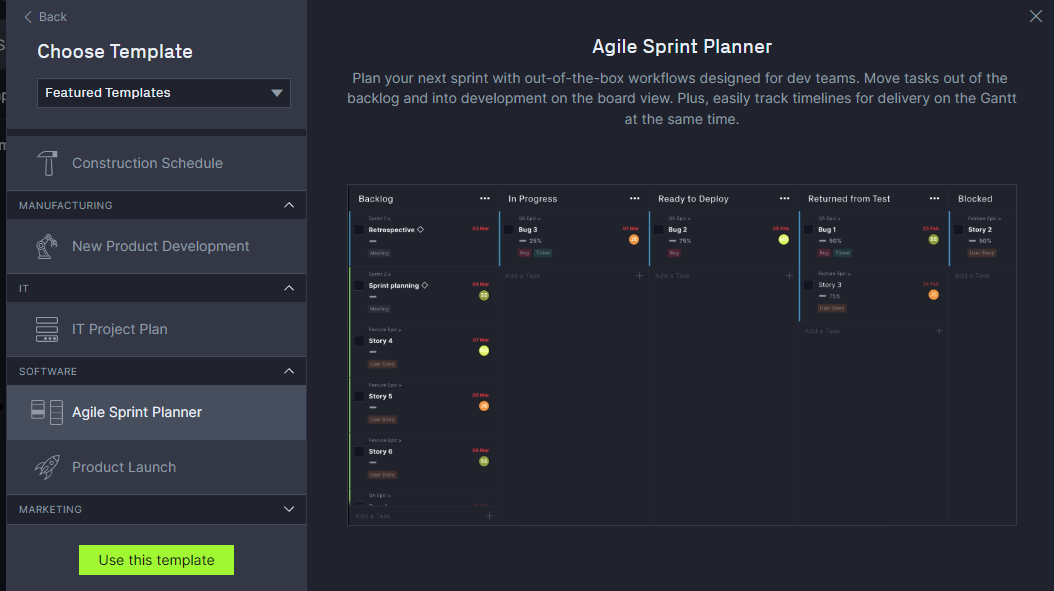
We have added categories to our Featured Templates in order to easily find the kinds of templates you use regularly. We are also always adding new template offerings, which means this list is getting longer! You can also collapse or extend the template categories to zero in on the sections that you use.
SAML Support for Multiple Domains
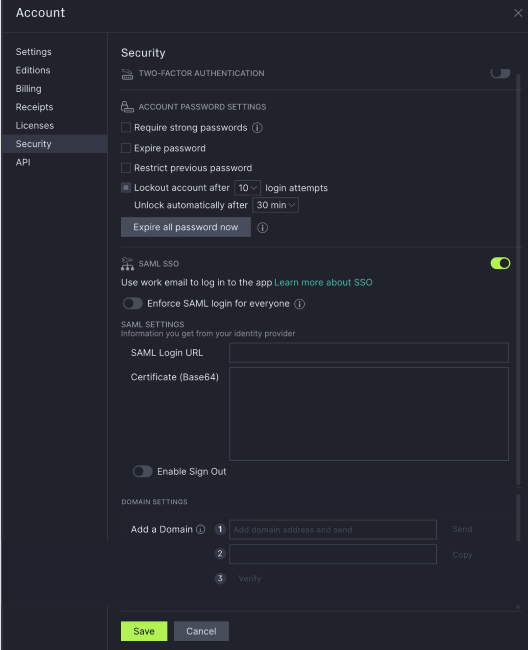
SAML customers now have the ability to configure multiple SAML Login URLs. This is useful, for example, when inviting Guests or users outside of the org's SAML domain.
See the Security tab on the Account popup for the latest additions to these configuration options.
Other features & issues in this release
As usual, we've also added a few small but helpful features or issues:
- We fixed an issue some customers experienced connecting to Jira or Trello
If you have questions on this release please to reach out to us.
Planned Effort Changes in Detail
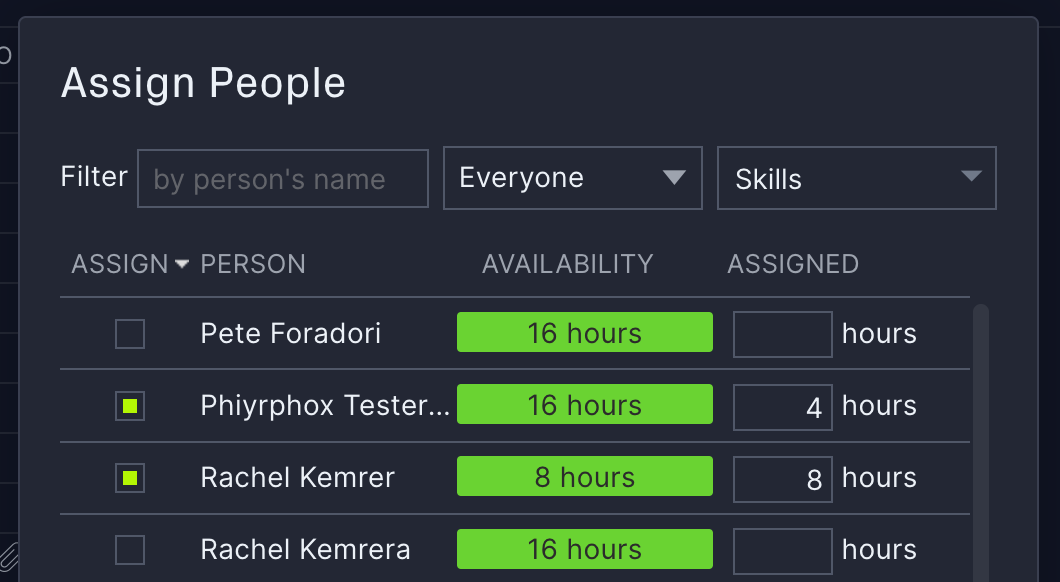
Many customers have been asking for improvements to how our Planned Effort and assignments work. A change has been made to the way default assigned hours are calculated when assigning a resource to a task, and the effect that assignment has on the Planned Effort for that task.
Previously
When assigning a resource to a task, the system would default to assigning all of that resource’s availability for the duration of the task, even if the Planned Effort for that task was less than the full duration.
For example, if the Planned Duration of a task was 5 days, but the Planned Effort was only 10 hours, assigning a resource whose default availability is 8 hours/day would result in 40 hours being assigned to that 5 day task. Furthermore, the Planned Effort would be updated automatically to reflect the incorrect value of 40 hours.
Conversely, if the resource’s default availability is 0 hours, the assigned hours would default to 0 for this task, and the Planned Effort would also incorrectly be reduced from 10 hours to 0.
Now
When assigning a resource to a task, the system will default to assigning the lesser of:
- The remaining unassigned hours on the task (Planned Effort - any hours assigned to other resources), OR
- The resource’s availability for the duration of the task.
This means, if a resource is available for 40 hours during the 5-day duration of this task, but the Planned Effort is only 10 hours, the default value for the assignment will be 10 hours. (That default can still be modified by the user at the time of the assignment.)
Likewise, if the Planned Effort is 10 hours, but another resource has already been assigned for 2 hours, this resource will default to 8 hours (the remaining unassigned portion of the Planned Effort.
If the new resource is assigned for less than the remaining unassigned portion of the Planned Effort (either because the resource is not available for the full portion, or because the user manually reduced the number of assigned hours), the system will no longer adjust the Planned Effort to match the reduced assignment. In this case, the Planned Effort will remain the same, and the user is free to assign another resource to account for the remaining unassigned hours.
If, however, the user manually adjusts the assigned hours for this resource, such that the total assigned hours exceeds the previous Planned Effort, the system will automatically adjust the Planned Effort to match the total of the assigned hours.