
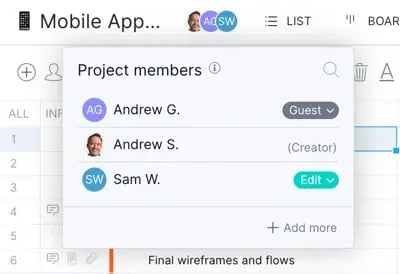
Guest licenses are a type of user role in ProjectManager. They provide read-only access to select projects without using a paid license. Guests can view project plans, project status, milestones and dashboards.
All ProjectManager users get an unlimited number of guest licenses. As teams enter data into the software, guests will see real-time project updates to their accessible data.
How Guest Licenses Work
Guests will have read-only access to project plans, project status, milestones and dashboards, staying looped in on progress along the way.
Guests will not be able to collaborate on a project, complete tasks or be assigned to tasks; however, they will be able to access pertinent details and insights.
How to Invite Guests
Use the Invite People screen to invite guests, you can access this screen in various ways:
- Users & Teams Page → Open the account menu (bottom left), click Users & Teams
- Global Add Menu → Click the +Add button (bottom left), click Invite
- Keyboard Shortcut → Press the i key on your keyboard in most views
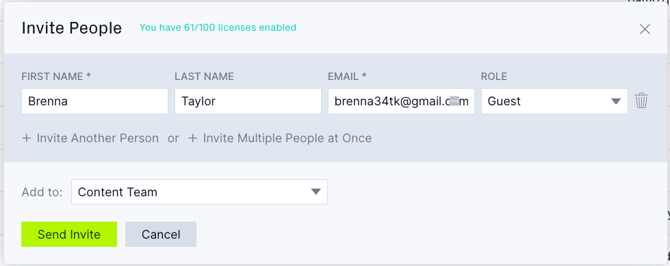
From the Invite People screen, you can enter the name and email of the person you want to invite. Choose Guest as their role and choose the projects you want them to access:
Editing Guest Access
You can upgrade guests to full users at any time if you want to give them more access to your projects, or you can also downgrade full users to guests. You can do all this and change which projects a guest has access to, via the Users & Teams page.
Please reach out to support@projectmanager.com if you have questions about guests.