
Unlike other software, you can purchase a ProjectManager plan directly without contacting sales.
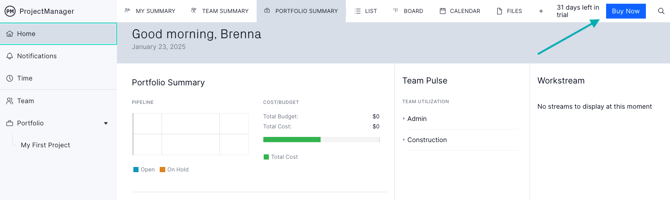
Click "Buy Now"
In the upper right-hand portion of the software, you'll see a green "buy now" button that will take you to the checkout page. Keep in mind that you can purchase a plan before your trial ends!
Build Your Subscription
Select whether you want to be billed annually or monthly. Here, you'll select your plan, quantity of licenses, add-ons and payment details. You'll save up to 16% with an annual subscription.
If you're interested in our Enterprise features, contact sales directly.
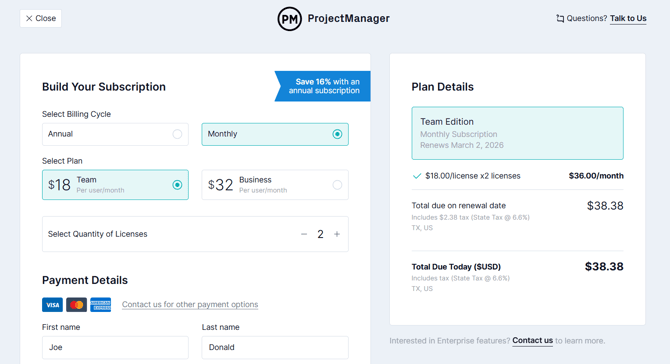
For a full breakdown of our pricing and features, visit our pricing page. Keep in mind that you can change your plan at any time! If you need to change the number of users, you can do so at any time, and your next invoice will reflect your new plan price.
Your subscription volume will automatically calculate based on the number of users in your trial. If you need to purchase more than 50 licenses, please contact sales.
Tip: If you need to purchase a different number of licenses than you had in your trial, you can change this amount. Click here for more information.
Accepted Payment Methods
We accept Visa, Mastercard, American Express and Discover. If you want to pay using an alternative method, contact our sales team.
If you have any questions about how to purchase a plan, please email support@projectmanager.com.